Content tags
[[Content tags]]
- Content tags are content labels that mark sections of a page as a specific kind of material.
- Unlike [[wikilink|wikilinks]] which connect concepts across pages, content tags group content by what it is:
- A
#codeexample, an#outputtable, or an#interpretationwriteup, - A
#formula, - An
#example, - A
#discussionprompt.
- A
- For this site, we have two content tags:
#settings, and#tip.
- Unlike [[wikilink|wikilinks]] which connect concepts across pages, content tags group content by what it is:
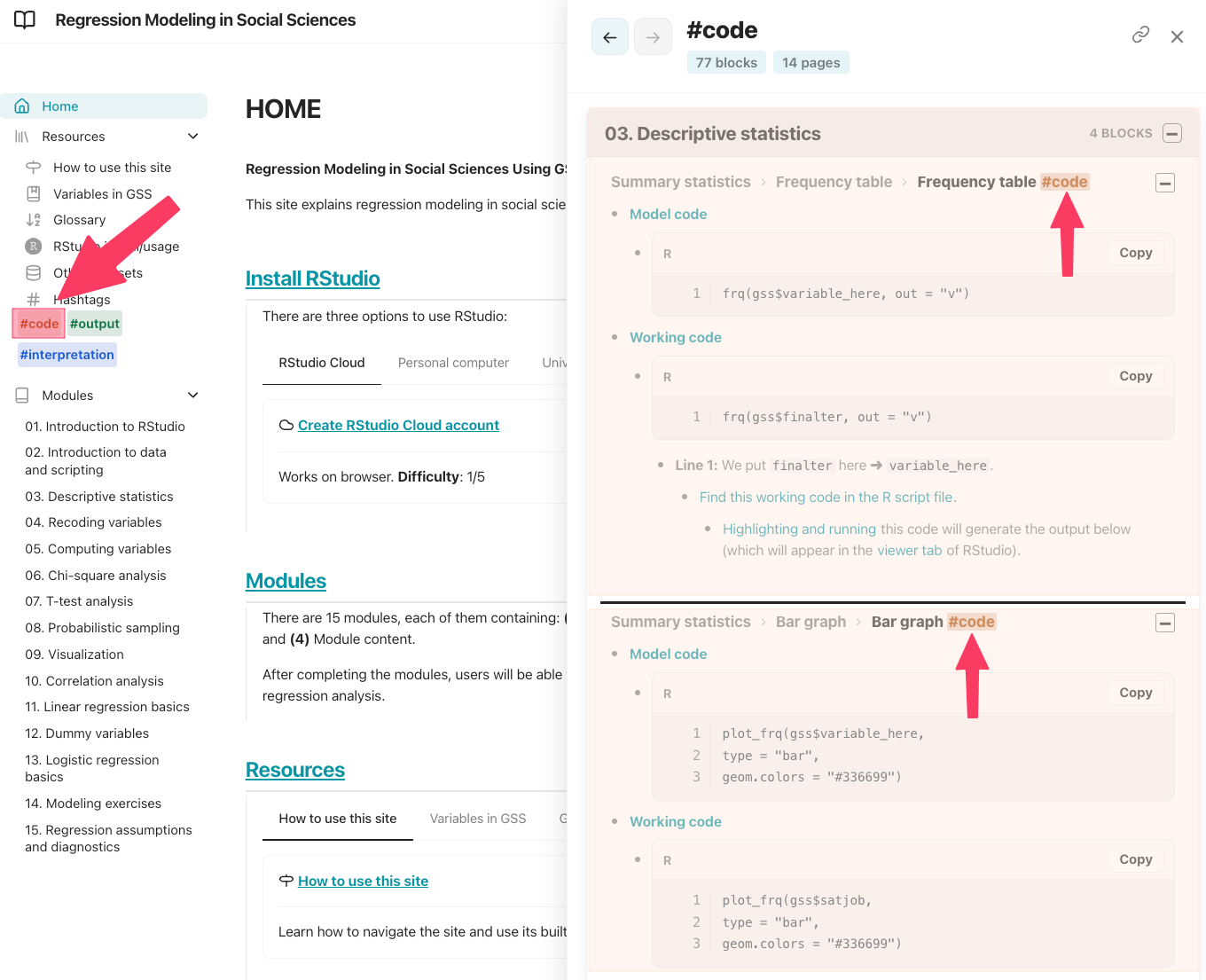
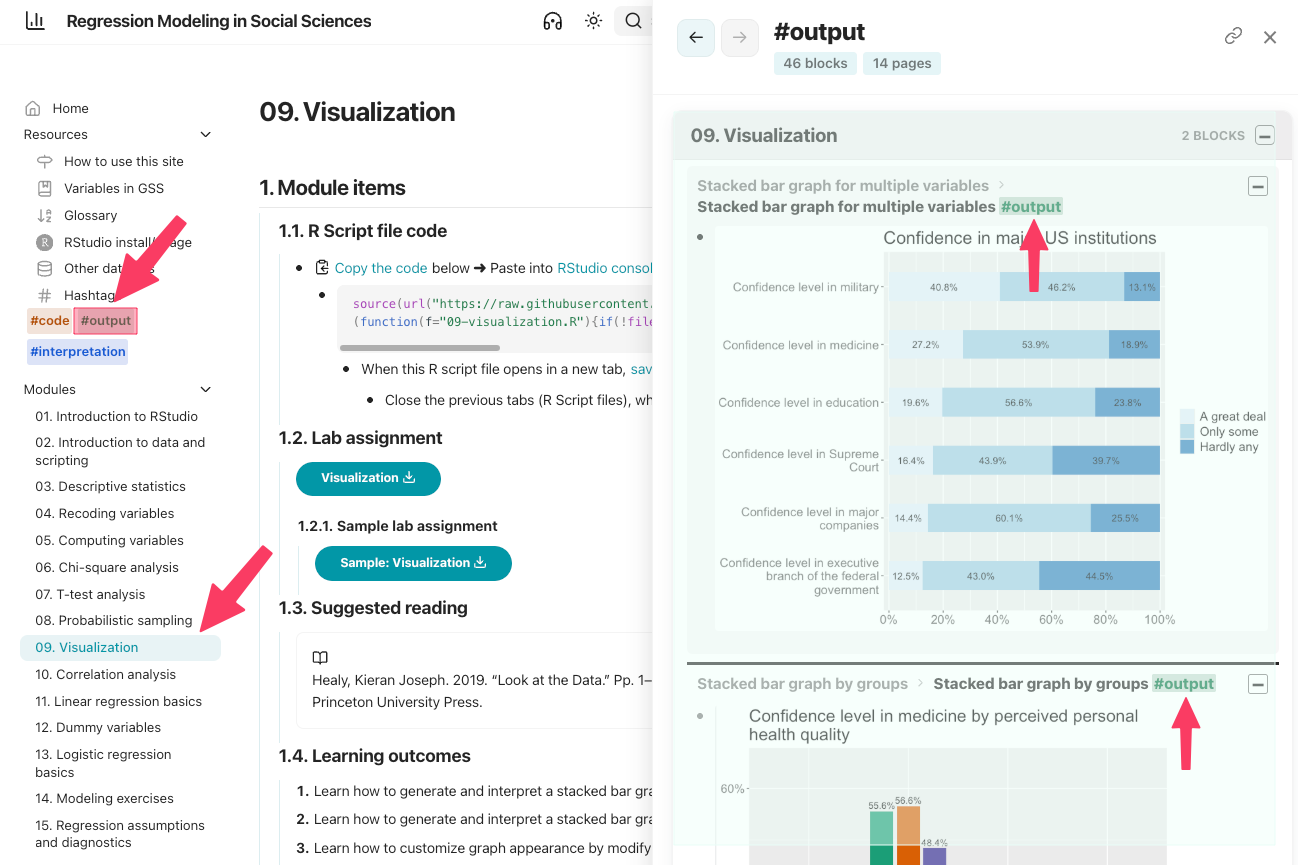
- Clicking a content tag opens every matching section from across the site.
- Wikilinks connect ideas.
- Content tags collect reusable kinds of content.
[[Content tags]] sidebar
- Content tags appear as colored chips in the left sidebar.
- Clicking a content tag chip in the home page opens the pane.
- This makes common content types easy to reach.
- When a content tag chip is clicked on a page, results are grouped by page.
- The current page appears first.
- The clicked section appears first inside that page.
[[Content tags]] rules
-
Content tags:
- are case-insensitive.
#Settingsand#settingsare the same tag.
- must start with a letter.
- can use letters, numbers, hyphens, and underscores.
- cannot contain spaces.
- inside code blocks or inline code are ignored.
- are case-insensitive.
-
How many content tags? #tip
- Content tags group repeated content types; they are not for flagging important terms.
- A maximum of 5 content tags is allowed.
- Content tags group repeated content types; they are not for flagging important terms.
[[Content tags]] and [[search]]
- [[Search]] understands content tags.
- Searching
frequency table #codefinds code sections about frequency tables. - Searching
frequency table codecan also find#codesections.
- Searching
- Content tags do not create [[glossary]] entries or [[graphs|graph]] nodes.
- They label content.
- They do not become concepts.
[[Content tags]] #settings
-
Content tags are customized in [[zensical.toml]] file.
-
- Line 2: Default is
true.falseturns off the generated content tags page.- Panes and search can still use content tags.
- Line 3: Default is
true.falsehides tag chips in the sidebar. - Line 5: Optional argument to change the order of the tag chips in the sidebar.
- Replace here with the actual content tags:
content-tag-1,content-tag-2, and so on.
- Replace here with the actual content tags:
- Lines 7-8-9: Optional argument to change the colors of the tag chips in light mode.
- Lines 11-12-13: Optional argument to change the colors of the tag chips in dark mode.
- Line 2: Default is
-